
A free ai video maker is useful for testing an idea, building a rough internal reference, or producing a short social draft without opening a purchase order. It is not automatically a production system. The important question is not whether the first clip looks convincing. It is whether the tool can support revisions, preserve usable assets, document rights, and hand off files to an editor without creating more work than it saves.
My recommendation is straightforward: use free tools for low-risk concept work and tightly scoped proof-of-concept videos. Do not put confidential client material, unreleased product details, or final campaign expectations into one until you have checked its terms, storage, export settings, and commercial-use rules. A free account often shifts the cost from subscription fees to watermarks, export limits, queue time, manual cleanup, or repeated generations.
What a free ai video maker is good for
The strongest use case is the first pass. A creative team can turn a written treatment into a mood reference, test a rough visual direction, or make a temporary animatic for an internal conversation. That can be enough to answer a useful question: does the idea communicate the intended action, rhythm, and emotional tone before the team spends money on production?
Canva is a practical choice for teams already working in template-driven design and presentation workflows. It suits quick social drafts, internal explainers, and simple compositions where text, stock material, and basic generated elements matter more than shot continuity. CapCut is more useful when the target is a fast vertical edit with captions, music, transitions, and platform-oriented timing. Adobe Express can suit teams that already work inside Adobe's broader ecosystem and want a straightforward way to assemble lightweight branded content.
Those are not interchangeable recommendations. Canva generally favors layout and brand assembly. CapCut favors fast, mobile-oriented editing. Adobe Express favors accessible creative production around established brand assets. Features, export rules, and free-plan limits change, so check the vendor's own page before assigning any of them a client deliverable.
A free ai video maker also works well as a communication layer between departments. A producer can show the intended sequence to a client team that does not read a treatment the same way. A designer can test whether a product image remains legible in motion. An editor can use a rough timing pass to estimate how much footage, voiceover, or music will be required.
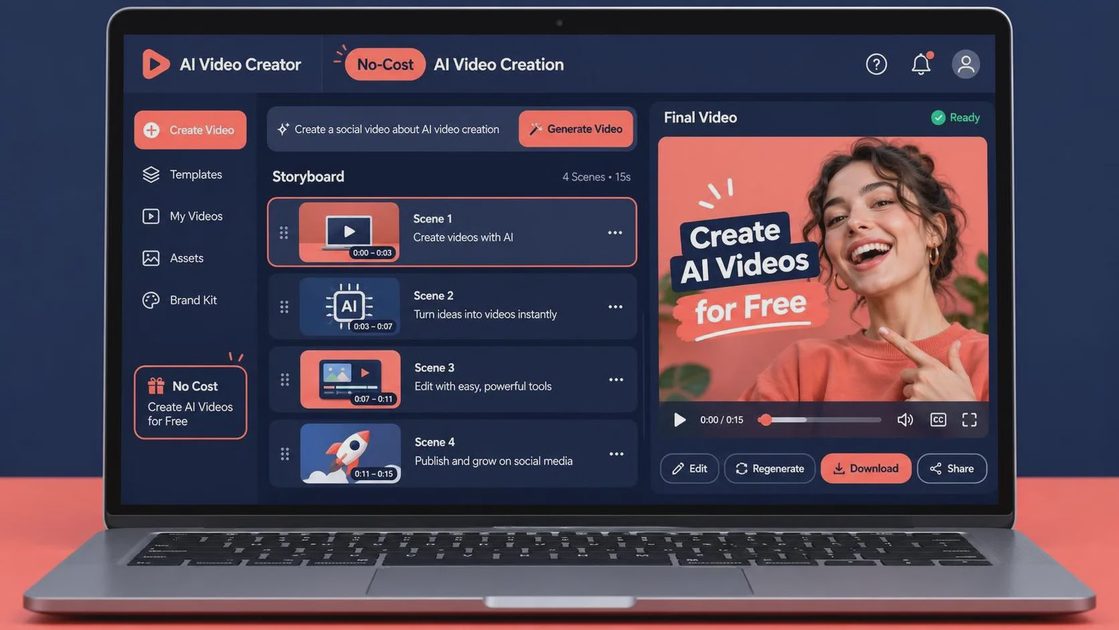
The mistake is treating that draft as evidence that the final workflow is solved. A generated clip may hide unstable hands, changing logos, inconsistent wardrobe, unreadable small text, or a camera move that cannot be repeated. Those problems are manageable in exploration. They become expensive when the client asks for the same shot with a different product angle, duration, or approved message.
The free-plan checks that matter before production
Start with access and ownership. Read whether uploads are used to improve the service, how long projects remain stored, and whether team members can remove source files. A public or shared project setting can be unacceptable for a brand even if the output itself looks harmless. Keep sensitive references outside the tool until the account and workspace controls have been approved.
Next, inspect the export. A free ai video maker may restrict resolution, frame rate, duration, file format, or watermark removal. A clip that looks fine in a browser preview can become awkward in editorial if it arrives as a compressed download with no clean version. Confirm whether the export is a standard video file, whether audio is included, and whether the tool provides separate assets or only one flattened movie.
Check the license for both generated material and supplied material. The question is not only whether the platform allows commercial use. You also need to know whether stock music, templates, fonts, images, and uploaded assets carry separate restrictions. Keep a simple record of the tool, account, project date, source assets, and export version. That record will not solve every rights question, but it gives production and legal teams something concrete to review.
Finally, measure the human time. Make one small test with a defined target: a 10-second product transition, a vertical social cut, or a three-shot internal storyboard. Record how long it takes to prepare references, generate variations, select a version, remove unwanted elements, add captions, export, and deliver the file. If the free ai video maker saves five minutes of rendering but creates 45 minutes of cleanup, the apparent saving is backwards.
A handoff test for a free ai video maker
Run the test as if another person must finish the work tomorrow. Name the project clearly, save the brief beside the output, and preserve the prompt or generation settings if the tool exposes them. Then ask an editor who did not make the draft to complete a small revision: change the end card, shorten the timing, replace a logo, or deliver a second aspect ratio.
This exposes the real failure points. Can the editor find the source? Is the text editable, or is it baked into the video? Does the output hold up when reframed for 16:9, 1:1, and 9:16? Is the voiceover replaceable? Are there clean handles at the beginning and end? Can the team identify which version the client approved?
A free ai video maker is usually weakest when continuity and controlled revision matter. If a subject's face, product shape, hand position, or background changes between generations, the editor may need to hide the problem with cuts, overlays, or replacement shots. That is still useful for a pitch or internal review, but it is not the same as delivering a locked commercial sequence.
For a real client review, send a labeled draft rather than an unexplained generated clip. Include the intended use, aspect ratio, duration, and what is still provisional. Mark temporary music, unapproved copy, missing legal language, and visual elements that have not passed brand review. This keeps a strong-looking experiment from being mistaken for an approved asset.
When to pay for a tool instead
Move beyond a free tier when the workflow needs repeatability, shared workspaces, higher export control, commercial support, or predictable turnaround. The decision should follow the bottleneck. If review is the problem, prioritize version history and collaboration. If finishing is the problem, prioritize clean exports and editable structure. If generation is the problem, prioritize reference control and consistent re-runs rather than a larger template library.
Do not assume paying removes production risk. A paid plan can still produce unusable continuity, uncertain rights, or files that do not fit the post pipeline. It simply may provide more room to test and organize the work. The handoff still needs a person who understands editorial, compositing, color, sound, and delivery requirements.
The first practical move is to create a one-page test brief and run the same brief through your chosen free ai video maker twice. Keep the reference assets, prompts, exports, timing notes, and failure examples. Have someone else attempt one revision. That small exercise will tell you more than a gallery of impressive demonstrations.
Use free generation where it reduces uncertainty, not where it hides unfinished work. If it cannot survive the handoff, it is not a workflow yet.



No letters yet — be the first to write.