
A useful wan 2.2 image to video prompt guide should do more than describe an attractive shot. It should help a team turn a still reference into a controlled motion test, compare variations, record failures, and prepare the result for editorial or client review. The prompt is one component of that process, not the process itself.
I would start with a narrow production question: can this reference produce a usable five- to ten-second shot with the required subject, camera movement, lighting continuity, and delivery format? That question is more valuable than asking for a cinematic result and judging the first appealing frame.
Start with the image, not the adjectives
Before writing a prompt, inspect the source image as if you were preparing it for a handoff. Identify the subject, foreground and background layers, camera height, lens impression, light direction, surface details, and any text or branded objects. A product packshot, a fashion still, and a location plate each need different controls.
For a product shot, note whether the label must remain readable. For a person, describe the intended action without overloading the model with choreography. For a landscape, separate environmental motion from camera motion. This simple inventory prevents a common failure: asking the system to invent movement in areas that should remain stable.
A practical prompt structure is:
- Identify the subject and preserve its important visual features.
- Describe one primary action.
- Specify the camera move, such as a slow push-in, lateral track, or locked-off frame.
- State environmental motion, including fabric, foliage, reflections, or dust.
- Define pacing and mood in plain production language.
- Add constraints for identity, framing, product geometry, and unwanted movement.
The wan 2.2 image to video prompt guide approach works best when each sentence has a job. “Cinematic, dynamic, epic camera” gives the system several vague directions. “Locked camera; only the curtain moves gently from left to right; preserve the bottle silhouette” gives a reviewer something testable.
Build prompts around a shot brief
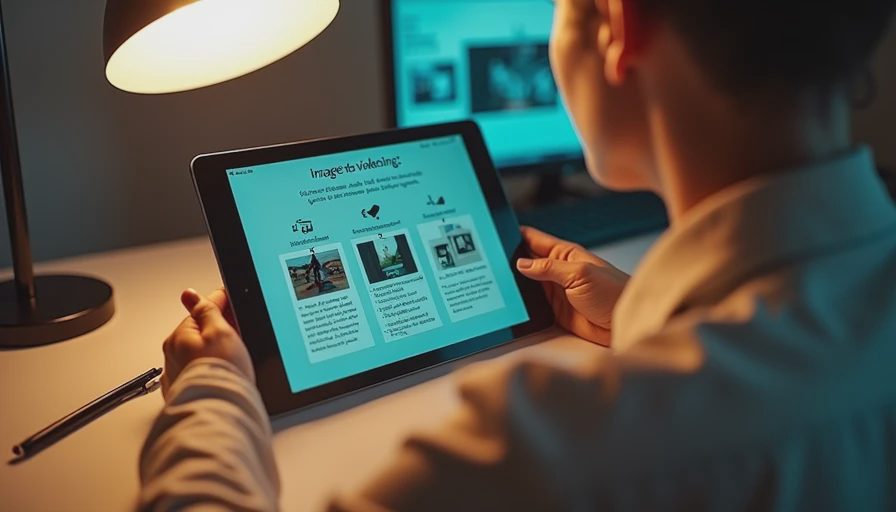
A commercial brief usually contains more than visual style. It includes duration, aspect ratio, intended edit position, brand requirements, and approval risks. Bring those requirements into the test plan, even when the generation interface cannot enforce every one directly.
For example, a ten-second beverage insert might use this working description: a chilled glass bottle sits centered on a dark stone counter, condensation remains visible, a narrow beam of warm light crosses from camera left, the camera makes a slow three-quarter push-in, and the background stays soft and uncluttered. The important constraints are not the word “premium.” They are the bottle position, readable silhouette, controlled push-in, and stable background.
Then create separate variations rather than one overloaded prompt. Version A tests camera movement. Version B tests condensation and highlights. Version C tests a slight environmental action, such as a passing shadow. If all three variables change together, selection becomes subjective and revision notes become difficult to interpret.
Keep a simple generation log with the source filename, prompt version, settings, output duration, aspect ratio, and reason for selection or rejection. A spreadsheet is enough. On a small team, this takes five minutes per batch and can save an hour when a producer asks how the approved variation was made.
Where the workflow usually breaks
The most common failure is not an ugly image. It is motion that changes the subject’s identity or geometry. A bottle may narrow during a push-in. A hand may merge with an object. A logo may soften, warp, or become unreadable. A face can drift between frames even when the opening frame looks convincing.
Treat those failures as shot-level risk, not as minor prompt problems. Try reducing the number of moving elements, shortening the duration, slowing the camera, or using a tighter crop. If a product label is legally or commercially important, plan a replacement or composite in post rather than assuming generated text will survive approval.
The wan 2.2 image to video prompt guide should also include a failure instruction in practical terms: preserve the subject shape, avoid new objects, keep the camera path smooth, and do not alter the background architecture. Negative wording is not a guarantee, but it makes the intended boundary clearer and gives the operator a better basis for comparing outputs.
A good internal test has three passes. First, review the opening and closing frames for continuity. Second, watch at normal speed for motion artifacts. Third, inspect the image at delivery resolution. A shot that works as a small preview can reveal crawling edges, unstable reflections, or texture repetition when placed in an edit.
Review the result like a client will
Client review changes the standard. A director may accept a strange reflection during exploration, while a brand manager may reject it immediately in a product close-up. Before showing a result, identify what is locked, what is provisional, and what can realistically be revised without starting over.
Use review notes that point to time and screen location: “At 00:04, the right edge of the package bends during the push-in,” is actionable. “The movement feels weird,” is not. Include a reference frame or a marked-up still when the problem concerns composition, logo placement, or subject scale.
The wan 2.2 image to video prompt guide is most valuable when it supports this review language. A prompt revision should respond to a specific failure: reduce lateral drift, hold the package center, remove the second hand, or keep the shadow direction consistent. Do not rewrite every descriptive phrase after every failed generation. Changing too much destroys the evidence from the previous test.
For a small commercial test, budget roughly two to four hours for reference preparation, prompt iterations, selection, notes, and an editorial check, excluding long queues or extensive compositing. A single usable shot may require several failed generations. The service cost can be modest compared with labor, but labor is the number that belongs in the production estimate.
Prepare the handoff package
A generated clip is not ready for finishing simply because it downloads successfully. Deliver the selected media with the source image, prompt text, generation settings, version name, frame rate, dimensions, and known limitations. If the clip contains a product, identify any area that needs cleanup or replacement.
The editor needs to know whether the clip is intended as a final shot, a temporary plate, or a reference for a traditional reshoot. The compositor needs clean information about masks, tracking concerns, and unstable edges. The producer needs a clear statement of what remains unapproved.
Use filenames that carry useful context, such as brand_product_push_v03_review.mp4, and keep rejected versions available until approval. This is less glamorous than generation, but it prevents a familiar production problem: someone selects a preview from a messaging thread, loses the prompt history, and cannot reproduce the requested revision.
The wan 2.2 image to video prompt guide should end with a handoff checklist, not a collection of fashionable adjectives. Confirm subject continuity, camera intent, duration, framing, artifact review, rights and approvals for reference material, and the next post-production action.
A practical first test
This week, choose one approved still and define one shot that can be judged in under ten seconds. Write the subject, one action, one camera move, three preservation constraints, and one known risk. Generate three controlled variations, log the differences, and review them at the intended delivery size.
If none survives that test, the answer is useful: the workflow needs better references, simpler motion, or a different production method. If one survives, send it through a real editorial handoff before calling it production-ready. That is where hidden labor becomes visible.
The strongest wan 2.2 image to video prompt guide is therefore a repeatable test method: prepare carefully, change one variable at a time, document failures, and package the result for the next role. If it cannot survive the handoff, it is not a workflow yet.


No letters yet — be the first to write.