
Teams can make AI videos quickly. The harder question is whether those videos can survive a real brief, stakeholder review, revision cycle, edit, color pass, and delivery deadline. A striking eight-second generation is not automatically a usable shot. In commercial production, the work around the generation often determines whether the idea saves time or creates another layer of cleanup.
My practical recommendation is simple: use AI video as a controlled shot-development and production tool, not as a replacement for the entire pipeline. When you make AI videos for a campaign, define the deliverable first, prepare references carefully, and measure failed generations and revision labor alongside render time. That gives a producer a useful answer instead of a demo.
Start with the deliverable, not the prompt
Before anyone tries to make AI videos, write down the shot’s job. Is it a product beauty frame, a transitional insert, a social cutdown, a background plate, or a finished hero moment? Each use case has a different tolerance for unstable hands, changing logos, soft text, inconsistent wardrobe, and camera movement that cannot be recreated.
A vertical 9:16 social shot can hide different problems than a 16:9 broadcast frame. A three-second atmospheric insert may be acceptable with limited continuity. A product close-up usually is not. If a bottle label, package shape, dashboard display, or branded garment is central to the frame, the team should assume that reference preparation and post-production will require real labor.
I would put the technical requirements beside the creative brief: frame size, frame rate, duration, audio expectations, safe areas, color workflow, usage rights, and delivery format. Then identify what must remain fixed. Those anchors might include a person’s pose, a product silhouette, a camera angle, or the direction of a subject’s movement. Without that list, generation becomes a collection of attractive guesses.
Prepare references like a small production department
Reference material is not decoration. It is the closest thing the model has to a visual handoff. Use clean product photography, approved wardrobe references, location images, lighting examples, and simple diagrams showing screen direction. Remove duplicate or conflicting references before generation. Ten images that disagree with one another will not create a more accurate result.
For a typical branded insert, I would prepare a short reference board and a shot note. The board might include one product front view, one three-quarter view, a color reference, and a background treatment. The shot note should state what moves, what stays locked, the intended lens impression, and the action’s beginning and end. This takes 30 to 60 minutes, but it can prevent hours of reviewing unusable variations.
Keep filenames and versions orderly. A folder named “final references” that contains three different logos is not a system. Use dated folders or a project naming convention, and record which reference set produced each selected take. When a client asks for a revision two weeks later, this information is more valuable than a gallery of unmarked exports.
Generation is a variation process, not a one-click event
The first generation should answer a narrow question. Can the subject move through the space? Does the camera direction work? Is the mood close to the brief? Do not spend an hour trying to perfect a shot whose basic blocking is wrong. Generate short, controlled variations and label them by purpose, such as “camera test,” “motion test,” or “lighting test.”
To make AI videos efficiently, separate creative decisions from technical diagnosis. If the subject is correct but the hands fail, change the action before changing the entire concept. If the movement works but the product drifts, simplify the camera or shorten the shot. If every version fails in the same place, treat that as a workflow limitation rather than endlessly rewriting the prompt.
A useful internal test is to review six to twelve variations without sound and ask three questions: Can an editor cut this? Can a client understand the intended action? Can finishing repair the remaining problems without rebuilding the shot? A visually impressive answer to only the second question is not enough.
Budget the hidden labor around the render
The service price or compute charge is only one line in the budget. A modest test can involve a producer preparing references, an operator generating variations, an editor organizing selects, and a compositor repairing edges or replacing details. For a small team, a first controlled test may consume four to eight person-hours even when generation itself takes less than an hour.
A practical budget should include preparation, generation, selection, cleanup, client notes, and final conform. For planning purposes, a short exploratory test might land in the low hundreds of dollars in labor, while a polished commercial sequence can move into the low thousands before sound, color, and finishing. The exact number depends on rates, shot count, approval complexity, and how often the team must restart.
Track failed attempts. If 18 variations produce two usable editorial options, that ratio is production information. Also record why the other versions failed: identity drift, broken typography, motion artifacts, wrong framing, continuity problems, or insufficient resolution. This creates a basis for deciding whether the next shot should use the same method.
Design client review before the client sees it
Client review is where many teams discover that a promising generation is not a deliverable. Show selected options with a clear note about what is approved and what remains provisional. Do not place ten nearly identical clips in a review link and ask stakeholders to choose a favorite. That shifts creative direction into unstructured voting.
When you make AI videos for approval, include a short context frame or written explanation. State whether the clip represents final motion, a look test, or a blocking test. Ask focused questions: Is the product action correct? Is the camera movement acceptable? Does the tone fit the campaign? This helps separate a useful note from a general reaction to novelty.
Version control matters just as much as visual quality. Keep the selected source, prompt or instruction record, reference set, output settings, and client notes together. If the client requests a slower hand movement, the team should know which variables can change without disturbing the approved lighting and composition. A workflow that cannot isolate revisions will make every note feel like a restart.
Plan the handoff to editorial and finishing
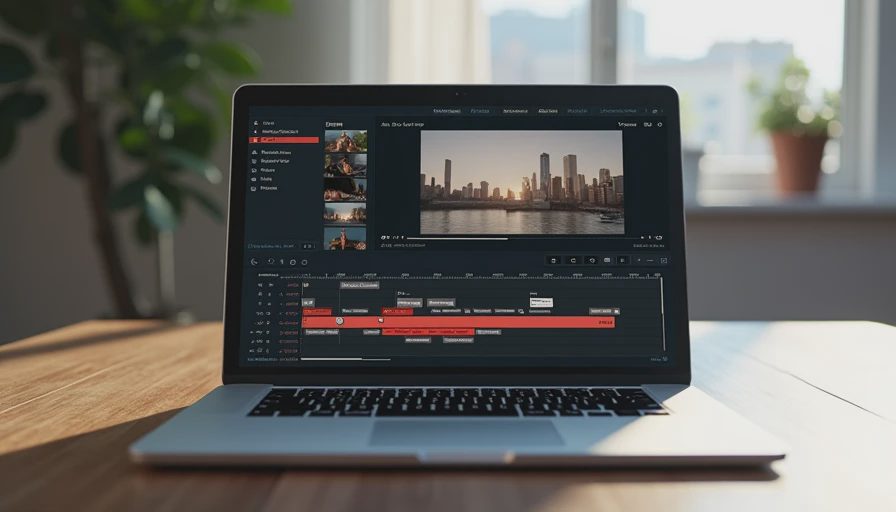
Before final approval, test the files in the tools that will actually finish them. Bring selected clips into Premiere Pro, DaVinci Resolve, or the team’s normal editorial environment. Check frame rate, handles, alpha expectations, compression, image sequence behavior, and whether the clip can be trimmed without exposing a broken transition. A file that looks fine in a browser can fail when it enters a real timeline.
Compositors should inspect edges, reflections, shadows, faces, fingers, text, and repeated textures at delivery resolution. Colorists need to know whether the source is intended as a finished look or a starting point. Sound teams may need to replace generated audio entirely, especially when dialogue, product claims, or timing must be exact.
The first move this week is to choose one low-risk shot and run a documented test from brief to editorial handoff. Measure elapsed time, human labor, usable variations, revision count, and finishing work. Then compare that result with the conventional method, not with a social media demo. Make AI videos only where the evidence supports the workflow, and keep traditional production available where continuity, legal review, or precise performance matters.
If it cannot survive the handoff, it is not a workflow yet.


No letters yet — be the first to write.