
A text to video generator can produce an attractive moving image in minutes, but that is only the first production test. The harder question is whether the shot can survive a brief, reference review, client notes, editorial changes, and final delivery. For an agency or in-house studio, a convincing first generation is useful only when the surrounding workflow is repeatable.
My practical position is simple: use this class of tool for controlled exploration and selected production shots, not as a replacement for planning. Start with a defined delivery scenario, a small reference package, and a time limit for cleanup. If the team cannot explain how a shot will be revised after approval, the workflow is still a demo.
Start with the handoff, not the prompt
Before opening a text to video generator, write down the shot’s job. Is it a six-second product atmosphere shot, a transition between live-action scenes, a social cutdown, or a visual concept for a client presentation? Each use case has a different tolerance for continuity, typography, product accuracy, and cleanup.
A useful brief includes duration, aspect ratio, camera behavior, subject action, lighting, environment, and the elements that cannot change. Add the intended finishing path: editorial only, compositing, color correction, sound design, or a complete post-production pass. This prevents a common mistake: judging a rough generation against a finished commercial standard without allowing time for the missing work.
References also need preparation. A folder of unrelated screenshots gives the model conflicting instructions. Instead, separate visual references by purpose. One image can establish framing, another can show wardrobe or material, and a third can define the environment. Label them clearly so the operator knows which details are essential and which are merely inspirational.

What the first generation actually tells you
A text to video generator is good at answering an exploratory question: can this general idea become a moving image? It is less reliable at preserving every specific detail across variations. A strong first result can still contain unstable hands, shifting logos, inconsistent shadows, changing facial features, or camera movement that makes compositing impractical.
Run a small batch rather than judging one lucky output. Six to twelve variations usually reveal whether the system is following the brief or simply producing attractive noise. Record the prompt version, reference assets, duration, aspect ratio, and useful failures. This takes a few extra minutes and makes the selection conversation much clearer later.
The selection criteria should be visible to everyone on the team. Choose the shot with the most stable subject, the cleanest silhouette, and the most workable motion, not necessarily the most dramatic frame. A producer may prioritize schedule, while a compositor may reject a shot with uncontrolled reflections. Those are not contradictory opinions; they expose different handoff risks.
Revision is where the workflow gets expensive
The initial generation is often the cheapest part of the process. Revision creates the real labor. If a client asks for a slower camera move, a different product color, a wider composition, or a subject looking in another direction, determine whether the request can be isolated. If every change requires a new generation, the team needs to budget for renewed selection and cleanup.
A text to video generator becomes more useful when its outputs can be organized as versions rather than saved as anonymous downloads. Keep a shot ID, prompt or instruction history, reference set, selected take, rejected takes, and reviewer notes together. A simple naming pattern such as project_scene_shot_version prevents the familiar Friday-afternoon problem of sending the wrong variation to editorial.
For client review, show context instead of a single looping clip. Include the intended edit position, temporary sound, and a note explaining what remains unfinished. Clients approve images differently when they understand whether they are reviewing composition, motion, product behavior, or final polish. This also reduces notes that are really reactions to missing editorial context.
Cost the work around the generation
Service credits are only one line in the budget. A realistic test also includes brief preparation, reference cleanup, operator time, failed generations, review exports, editorial conform, compositing, and finishing. For a small six-second shot, a team might spend 30 minutes preparing references, 45 minutes generating and selecting, and another two to four hours on cleanup and integration. A more difficult product or character shot can take substantially longer.
This is where a text to video generator can look inexpensive while the project remains labor-heavy. Compare the complete path with a conventional alternative, such as a stock plate, a practical tabletop shoot, a 3D render, or a short pickup day. The right choice is not always the cheapest generation. It is the option that reaches an approved deliverable with the fewest expensive surprises.
Track failed attempts honestly. If ten outputs produce one usable candidate, the nine failures belong in the schedule. If client notes cause three additional rounds, record those rounds too. A small spreadsheet with generation count, review rounds, cleanup hours, and final status will tell you more than a feature comparison page.
Where the handoff commonly breaks
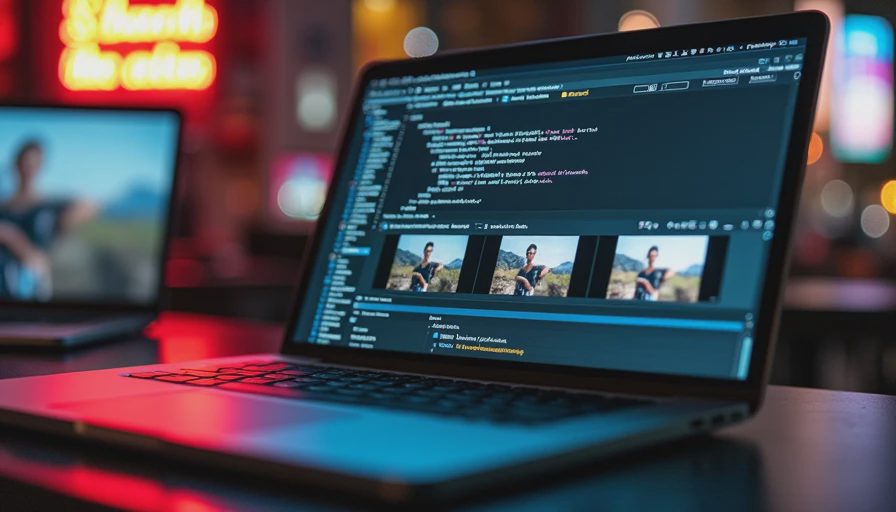
The first failure point is continuity. A subject can change scale between frames, a product label can drift, or a moving object can bend in ways that become obvious after editorial places the shot beside live action. The second is transparency. Many generated clips do not provide the clean mattes, camera data, depth information, or consistent passes that a finishing artist would normally expect.
The third failure is approval language. “Make it feel more premium” is not an executable revision. Translate it into observable changes: slower movement, softer contrast, less background activity, a lower camera angle, or more negative space for copy. The operator and reviewer should agree on what changed before another batch is generated.
A text to video generator should therefore enter the pipeline with a defined exit condition. That might be a temporary concept clip, a background plate, a final social asset, or a shot headed to compositing. Do not call every successful generation production-ready. Production-ready means another role can receive it, understand its limits, revise it, and finish it without rebuilding the entire process.
A practical test for your team
Choose one real but low-risk shot from an upcoming project. Limit the test to a fixed budget, perhaps one working day of operator and post-production time plus the tool cost. Prepare three references, write a concise brief, generate a controlled batch, and select against agreed criteria. Then send the chosen clip to someone who did not create it.
Ask that person to place it in an edit, identify likely client objections, and list the finishing steps required. If the handoff takes longer than expected, or if the shot cannot support a normal revision, document that failure rather than hiding it. Repeat the test with a second shot only after the first workflow is understood.
This test also tells you who should wait. Teams working with exact product geometry, recurring characters, legal copy, or frame-accurate continuity may need stronger control than the tool provides. Teams exploring mood, transitions, environments, and early concepts may gain useful speed immediately, provided the result is labeled honestly.
The next move for production leads
Do not begin by asking which text to video generator has the most impressive gallery. Begin with the handoff your team already struggles to manage. Choose one shot, define its approval standard, prepare references, and measure the labor from brief to usable edit. Compare that result with the conventional method your team would otherwise use.
The outcome should be a workflow decision, not a collection of attractive clips. Keep the tool where it reduces uncertainty or expands feasible options, and restrict it where continuity, control, or legal review makes experimentation expensive. If it cannot survive the handoff, it is not a workflow yet.


No letters yet — be the first to write.