A commercial pipeline does not start with a prompt. It starts with a brief that already carries constraints, and it ends with a file that someone else has to approve, finish, and deliver under a deadline. Seedance 2.5 changes several steps inside that chain. It does not remove the chain.
This map is the working view I use when a mid-sized team asks where the model actually belongs. It is not a feature list. It is a sequence of handoff points, the decisions that have to be made before generation, and the places the process still tends to break under real review pressure.
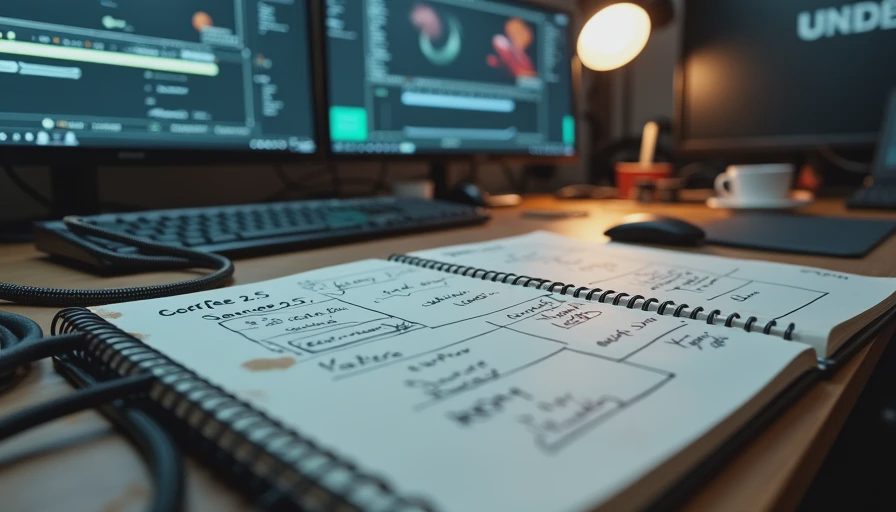
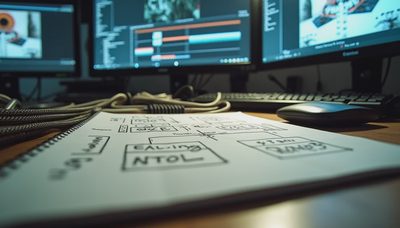
I keep this map on a single page in the same notebook I use for cable labels. The page has coffee stains and two crossed-out versions from earlier tools. The current version is clearer because the model itself is clearer: longer continuous takes, larger reference sets, and frame-level redraw options reduce some of the old stitching and consistency problems. They do not eliminate the need for preparation, selection criteria, revision planning, or finishing discipline.
The Pipeline in Nine Stages
Here is the full sequence I walk teams through. Every stage has a decision that affects the next handoff.
1. Brief Interpretation
The brief arrives with product shots, brand rules, timing, and usually a list of stakeholders who will later open the review link. The first job is not generation. It is translation: what must remain locked, what can flex, and what will trigger a regeneration if changed later.
I ask three questions before any reference work begins:
Which elements are non-negotiable for brand or legal reasons?
Which notes are likely to arrive after the first internal review?
What does “done” look like for this specific delivery—social cut, broadcast package, or internal test only?
If those answers are vague, the generation phase will look productive and still create rework downstream.
2. Reference-Material Preparation
Seedance 2.5 accepts substantial multimodal references—images, short video clips, and audio. That capacity is useful only if the references themselves are organized and intentional.
White-box product turns, clean plates, approved stills, and short motion references work better than a folder of mixed campaign assets dumped in at the last minute. I have watched teams lose half a day because one reference carried an old logo or an unapproved angle that the model faithfully reproduced across multiple takes.
The practical rule I use: treat the reference folder like a camera package. Everything in it should be labeled, dated, and cleared for the intended use. If you would not hand the same folder to a traditional CG artist without notes, do not hand it to the model.
3. Generation and Variation Management
This is the stage most demos celebrate. Continuous takes up to thirty seconds with synchronized audio and the ability to condition on a large reference set change the texture of the work. You can now ask for a full beat of action in one pass instead of stitching shorter clips and hoping the seams hold.
The operational risk sits in variation management. Generating twenty takes feels efficient until someone has to review them under time pressure. I recommend a fixed variation budget for any pilot: decide in advance how many takes the team will actually look at, and how selection criteria will be recorded. Without that discipline, the “faster generation” simply moves the bottleneck into the review queue.
4. Selection Criteria
Selection is where demo quality and deliverable quality diverge. A clip can look strong in isolation and still fail the next handoff because the motion is hard to cut around, the product angle fights the super, or the lighting will not survive a simple grade.
I mark every selected take with a short internal note: what works, what is still fragile, and what kinds of client notes would force a regeneration versus a local fix. That note travels with the file. It is the cheapest form of version control I have found.
5. Cleanup and Local Revision
Frame-level redraw options reduce the old all-or-nothing regeneration problem for certain notes. A wrong hand, a logo that drifted, or a sky that needs adjustment can sometimes be addressed without discarding the entire take. That is real progress.
It is not a free pass. Local fixes still require judgment about whether the surrounding motion and lighting remain coherent. They also require documentation so the next person in the chain knows what was altered and why. Cleanup that is invisible to the editor becomes invisible debt.
6. Client Review
This is the first true external handoff. The review deck should never present a generation as finished production footage unless the team has already stress-tested the revision path. I prefer to label early tests clearly: “internal generation test—revision scope still being mapped.”
Clients do not fail workflows. Unclear expectations do. When a stakeholder asks for a change that the current process cannot absorb cleanly, the cost lands on the production team. The map has to anticipate that moment.
7. Editorial, Compositing, Color, and Sound Handoff
Once a take is approved for further work, it leaves the generation environment. The editor needs context. The compositor needs to know what edges or elements are already compromised. Color needs to understand the grain and highlight structure. Sound may already be present, but it rarely arrives ready for final mix without adjustment.
The cleanest handoffs I have seen include a short technical note: generation settings, reference summary, known cleanup already performed, and any elements that should be treated as locked. Without that note, each department re-discovers the same limitations.
8. Cost and Schedule Reality Check
Every stage above carries time and labor. Failed generations are not free. Review cycles are not free. The person who has to explain a limitation to a client is not free. A realistic pilot budget includes those costs instead of treating the generation fee as the full price of the shot.
I ask teams to track three numbers on the first controlled test: wall-clock time from brief to selected take, labor hours by role, and the number of regeneration cycles triggered by notes. Those numbers matter more than any single impressive frame.
9. Final Delivery Risk
The last handoff is the delivery package itself. Specs, legal clearance of inputs, documentation of synthetic media where required, and version control all still apply. A beautiful thirty-second take that cannot be packaged cleanly is still incomplete work.
Where the Model Changes the Shape of the Work
Seedance 2.5 compresses the generation and early variation stages. Longer coherent takes reduce some of the old stitching overhead. Larger reference capacity improves consistency when the references are prepared well. Frame-level editing options give the team more local control over certain notes.
Those changes move the pressure points rather than eliminate them. The new pressure points tend to sit in:
Reference preparation quality
Selection discipline under time pressure
Revision-scope clarity before client review
Information that travels with the file into post
Cost accounting that includes failed takes and human review labor
Teams that treat the model as a drop-in replacement for a traditional shot often discover the bottlenecks only after the first set of notes arrives. Teams that map the handoffs in advance absorb the same notes with less drama.
A Personal Calibration Point
Last month I ran a controlled internal test for a five-person team that handles regional brand work. We used a synthetic thirty-second product brief, a clean white-box reference set, and a fixed variation budget. The generations looked strong. The first internal review was fast. The simulated client note—“can we just turn the product ten degrees”—exposed the remaining gap. The local fix path worked for that particular change, but only because we had already decided which elements were allowed to flex and which were locked.
The dog was asleep under the desk while I wrote up the notes. Morgan glanced at the timeline and said the same thing she says about project plans at her firm: the plan is only as good as the first unexpected request it can absorb. She was right.
That test did not prove a production-ready system for every commercial use case. It proved that the handoff map was more useful than another round of isolated generations.
How to Use This Map on Your Next Pilot
Do not start with the most ambitious hero shot. Start with one short, well-defined brief and walk it through all nine stages under controlled conditions. Record the decisions at each stage. Note where information was missing when the file changed hands. Measure the actual labor, not the idealized generation time.
If the map holds under that first realistic revision request, expand the scope. If it breaks, the break itself tells you what to fix before the next test.
The model can now produce continuous takes that look like finished commercial footage. The pipeline still decides whether that footage becomes a deliverable.
If it cannot survive the handoff, it is not a workflow yet.

No letters yet — be the first to write.