
AI video creation software is easy to judge from a striking eight-second clip. That is the wrong test for a commercial team. The useful question is whether the tool can move from a brief and reference package to a reviewed, revised, finished, and delivered asset without creating more work than it removes. My short conclusion is straightforward: treat these products as shot-development systems first, not as automatic production departments.
The strongest use cases are concept frames, mood films, social cutdowns, product atmospheres, transition shots, and early visual exploration. The weak points usually appear later: character continuity, product accuracy, clean typography, repeatable revisions, rights documentation, and editorial handoff. A tool that wins the first-generation demo can still lose the production test by forcing an editor or compositor to rebuild every shot.
Start with the handoff, not the prompt
Before comparing AI video creation software, write down the deliverable. Include duration, aspect ratios, frame rate, resolution, audio requirements, brand restrictions, review dates, and the people who approve the work. A 15-second vertical social asset has different requirements from a 30-second broadcast spot or a product launch film with legal review.
Then assemble the same test package for every tool. Use a short creative brief, three to five visual references, a product image if relevant, a rough shot list, and a defined output target. Do not test one platform with a polished prompt and another with vague instructions. Production decisions become unreliable when the input conditions change.
I also recommend separating generation time from usable-shot time. A platform may produce a result in two minutes, but the team may spend 20 minutes preparing references, six attempts reaching a plausible take, and another hour repairing a problem in After Effects or Premiere Pro. That full cycle is the number worth putting in a schedule.
For a small team, a realistic exploratory test can cost two to six labor hours per shot before subscription or credit fees. For a campaign with ten approved shots, that difference matters more than a low monthly plan. Cheap generation becomes expensive when every client note requires a fresh restart.

What to measure in AI video creation software
A useful evaluation has five measurements. First, assess visual quality at the intended delivery size, not only in a large browser preview. Second, check identity and object consistency across three variations. Third, test whether a specific change can be made without damaging everything else. Fourth, record export formats and whether clean plates, alpha channels, or image sequences are available. Fifth, document how another team member receives and understands the files.
That third test exposes the difference between a demo and a workflow. Ask for a controlled revision such as changing a blue jacket to green, moving a product from left to right, or reducing camera movement. If the software responds by changing the actor, logo, lighting, and background, the result is not revision-friendly. It is a new interpretation.
Many AI video creation software products are strongest when the shot is atmospheric and forgiving. Smoke, fabric, landscapes, abstract motion, and distant silhouettes can tolerate small inconsistencies. A close-up hand opening a package, a recognizable vehicle, or a spokesperson delivering a precise line has much less room for error. Match the tool to the tolerance of the shot rather than forcing every brief through the same interface.
Also inspect the commercial terms. Confirm whether generated material can be used in paid advertising, how uploaded references are handled, what happens when a subscription ends, and whether team seats provide usable project ownership. A production manager should be able to answer those questions before a client asks.
The client review failure point
Client review changes the economics. Internal teams can accept a strange finger or soft logo while exploring an idea; a brand manager may stop the entire approval because of it. A good review test uses real approval conditions: send a watermarked draft, collect at least two rounds of notes, and attempt to make one targeted revision while preserving the approved elements.
This is where AI video creation software often creates version confusion. A generated clip may not have a stable project history, visible seed or version controls, or a reliable way to reproduce the same composition. Name files with the shot number, date, aspect ratio, and revision status. Save the prompt, references, settings, and rejected outputs in a shared location. That record is not administrative decoration; it is what lets a producer explain why version 07 differs from version 06.
A practical review package should show the clip in context. Put it in an edit with neighboring shots, temporary sound, captions, and the intended crop. A beautiful isolated generation can fail when its camera direction contradicts the sequence or when the subject exits on the wrong side of the cut. Editors need continuity, not just attractive frames.
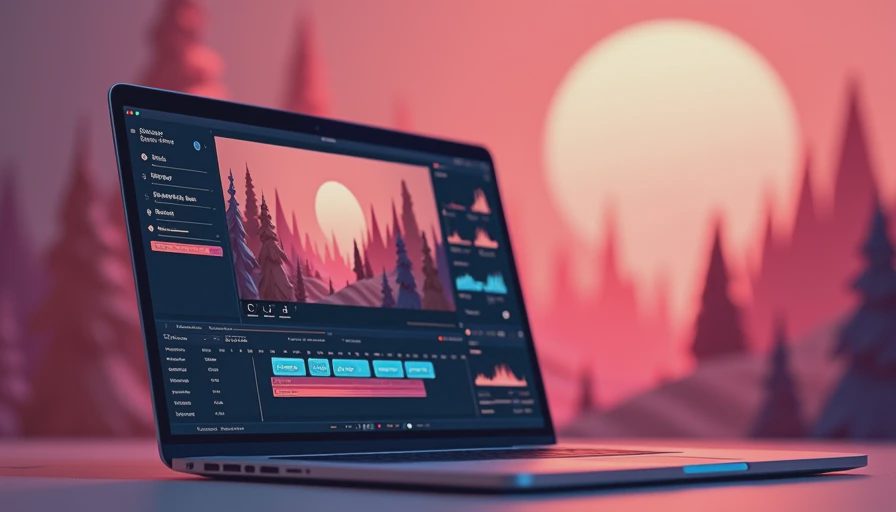
Cost, labor, and finishing reality
Price the workflow in three layers: tool access, operator time, and finishing time. Subscription plans and credit packs may range from roughly $20 to several hundred dollars monthly, depending on resolution, volume, and team features. Those fees are visible. Labor is not. Budget for reference preparation, failed generations, selection, cleanup, conform, color, sound, captions, and exports.
For example, a 10-second concept shot might take 15 minutes to brief and prepare, 45 minutes of generation and selection, and 30 minutes of cleanup. A more demanding product shot can consume two to four hours before it is ready for editorial. If a producer prices only the generation step, the estimate is already wrong.
Do not assume an export is finishing-ready because it is labeled high resolution. Inspect compression, motion artifacts, edge behavior, frame interpolation, color consistency, and audio sync. If the shot will pass through a compositor, test a frame sequence or high-quality mezzanine file. If it will go to color, check whether the image has enough latitude for the intended treatment.
A practical pilot for your team
Run a one-week pilot with three shot types: one atmospheric shot, one continuity-sensitive shot, and one product or typography shot. Assign a producer, an operator, and an editor if possible. Give the team a fixed brief and a fixed deadline. Record attempts, successful outputs, labor minutes, revision outcomes, and finishing problems.
At the end, compare approved seconds rather than generated seconds. Calculate the approximate cost per approved second, then note which role carried the hidden work. A platform that generates fewer clips but delivers two clean, revisable shots may be more useful than one producing hundreds of attractive failures.
The first move this week is to choose one real but low-risk upcoming asset and build the shared test package. Do not begin with the most important campaign shot. Start with something that has a clear owner, a defined review window, and enough tolerance for experimentation. Compare AI video creation software against your current process on time to approval, not novelty.
The production verdict
AI video creation software belongs in a serious pipeline when the team defines its boundaries. It can reduce the cost of visual exploration and help a small production group develop options before committing to a larger shoot or post schedule. It does not remove the need for art direction, continuity checks, editorial judgment, cleanup, legal review, or accountable version management.
Choose the tool that lets your team preserve approved decisions, explain its outputs, and hand files to the next department without a scavenger hunt. If the platform cannot support a controlled revision, document its limitations and reserve it for shots that can tolerate them. The evidence is in the handoff, not the launch demo. If it cannot survive the handoff, it is not a workflow yet.


No letters yet — be the first to write.